SMS terms
Last updated November 18, 2026.
rolefig (rolefig.com) is a California job site operated by Atriam, Inc., doing business as Rolefig. It has two text message programs, and you get each one only when you ask for it.
Job alerts
- Program
- rolefig Job Alerts (the optional “Also text me new matches” box under “Save this search”)
- What you get
- New job openings on rolefig that match a search you saved: up to 3 in a text, each with its title, pay, place and a rolefig.com link. Your first text confirms your sign-up and repeats these terms. Texts are in English.
- How often
- At most 1 text a day, between 9 a.m. and 8 p.m. Pacific, and only when new jobs match, so some days you get none.
- Cost
- Msg & data rates may apply.
- Help
- Reply HELP to any text for help, or contact rolefig support: help@rolefig.com
- Stop
- Reply STOP to any job alert and the alerts end: you get one text confirming it, then no more. You can also choose Stop texts on your Saved search page; your search stays saved.
How you sign up for job alerts
Job alerts are opt-in only, and saving a search never turns them on by itself. After a search on rolefig, you choose “Save this search” and enter your mobile number, which signs you in to rolefig with a one-time code (a separate program, below). Under the number is an optional box that starts unchecked. Leave it unchecked and “Text me a code” still works: your search is saved and you get no job alerts. Check it and job alerts start once you confirm your number. You can also turn them on later on your Saved search page, with the same box. The box reads:
Also text me new matches
Text me job matches from rolefig at this number, up to 1 text a day. Msg & data rates may apply. Reply STOP to end, HELP for help. Consent isn't a condition of using rolefig.
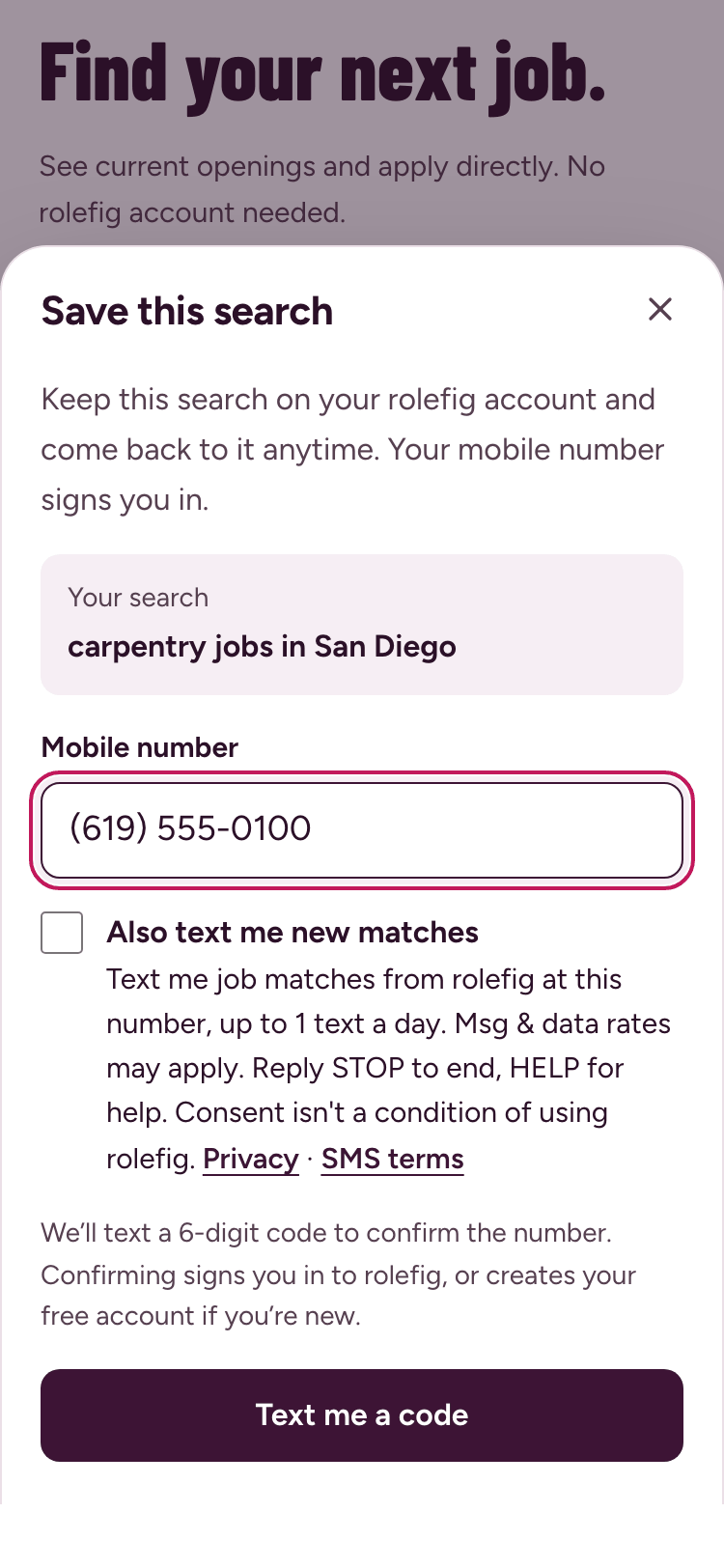
1. Enter your mobile number. The job alerts box is optional and starts unchecked; “Text me a code” works either way. 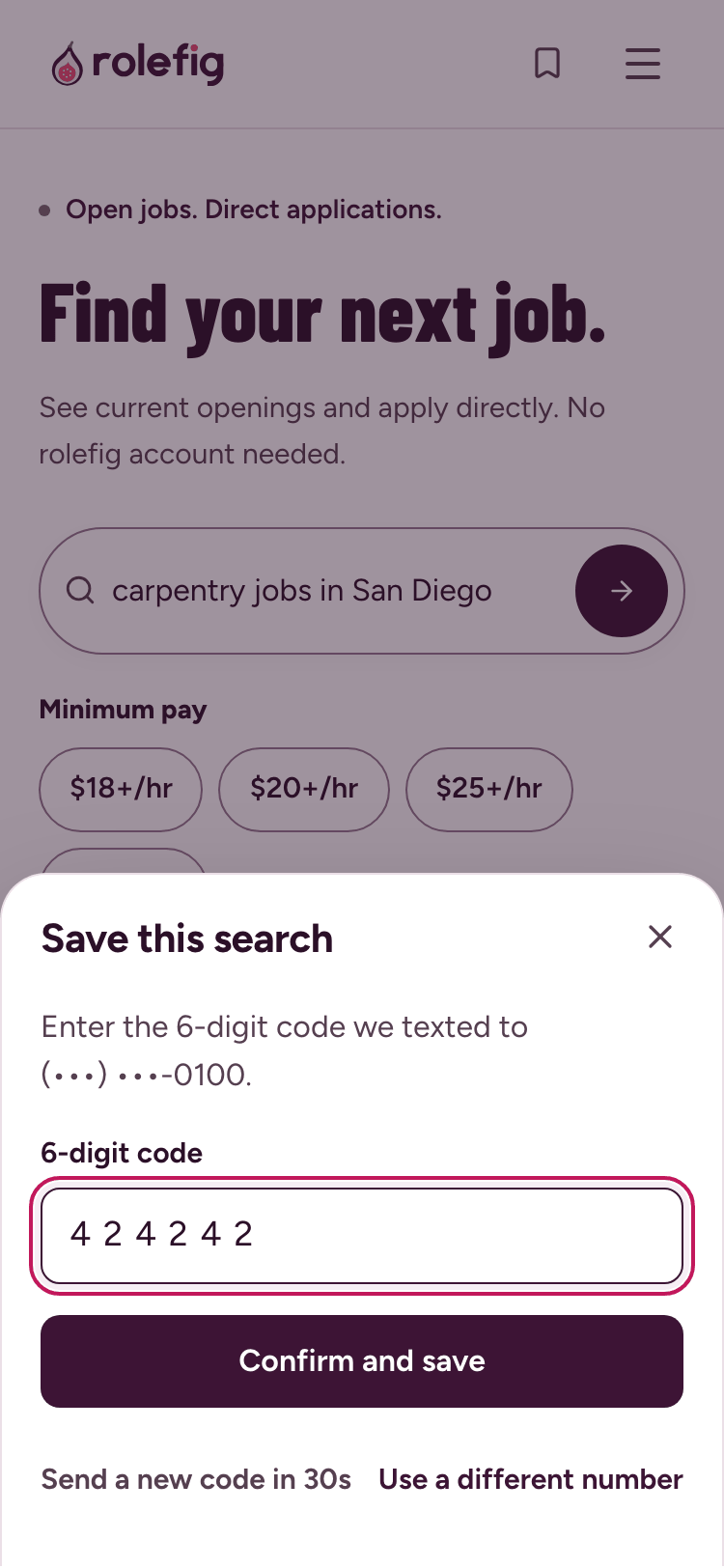
2. Enter the 6-digit code we text you. It signs you in and saves your search. Job alerts start only if you checked the box. 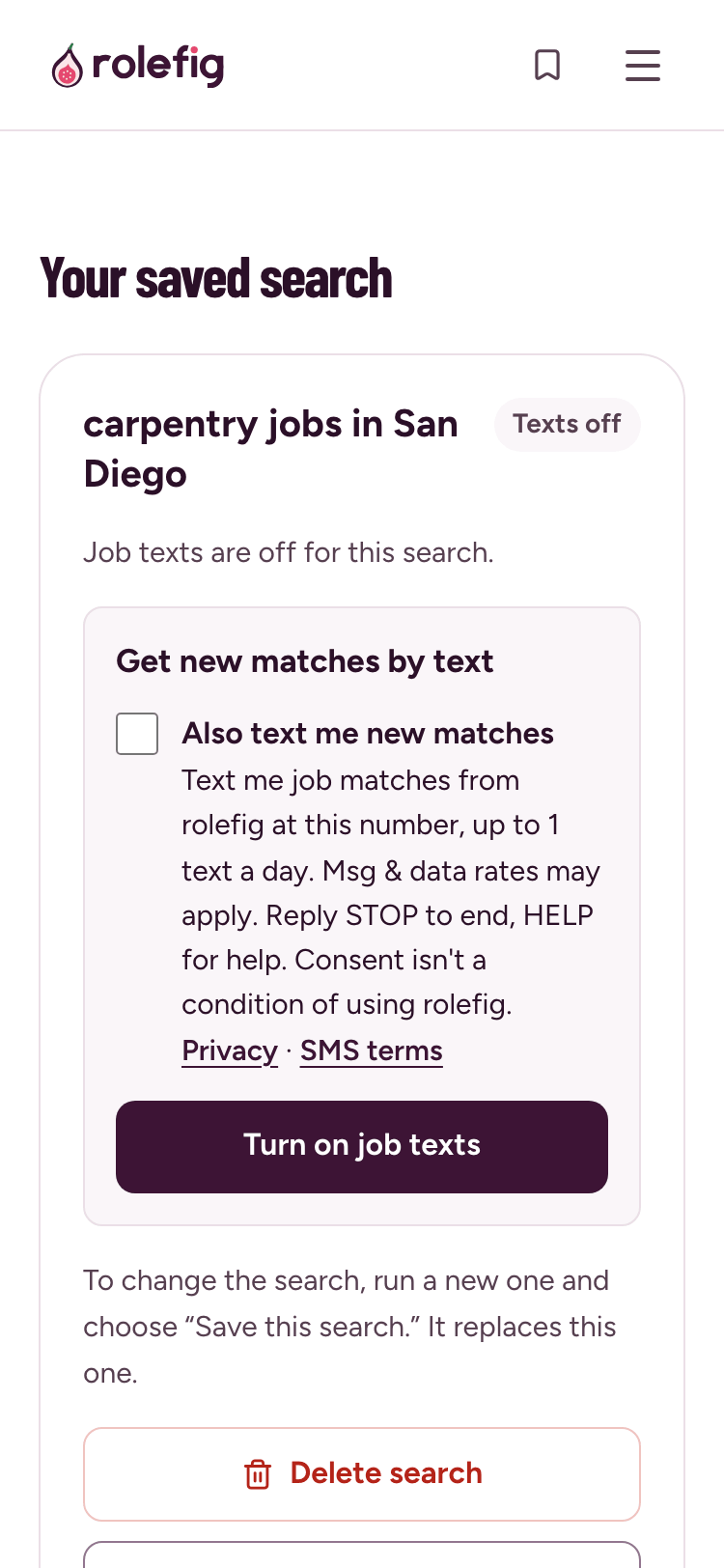
3. On your Saved search page, see whether job alerts are on, turn them on with the same unchecked box, stop them, or delete the search.
Sign-in codes
- Program
- rolefig sign-in codes
- What you get
- A one-time 6-digit code to sign in to rolefig or to confirm your mobile number, sent only when you ask for one, for example by choosing “Text me a code”. The text reads: “Your Rolefig verification code is 123456. Reply STOP to opt out.”
- How often
- One text each time you ask for a code. No other messages.
- Cost
- Msg & data rates may apply.
- Help
- Reply HELP to any text for help, or contact rolefig support: help@rolefig.com
- Stop
- Reply STOP to stop sign-in codes. You can still sign in with an email link.
For both programs
- Carriers are not liable for delayed or undelivered messages.
- Agreeing to texts is not a condition of using rolefig or of buying anything.
- We use your mobile number and your text opt-in only to send the texts you asked for. We never sell them, and never share them with third parties or affiliates for marketing.
- How we handle your number and other information is described on the privacy page.